Fix Ctrl+Space doesn’t work in Eclipse And Netbean Ubuntu 12.04

sudo apt-get install gconf-editor

1.Open gconf-editor in Terminal
2.Choose desktop -> ibus -> general -> hotkey.
3.Open trigger parameter.
4.Remove Ctrl+Space key combination from the list and press OK.


Thank You, Anton Danshin

How to Download or Dump rtmp Linux / Ubuntu

install rtmpdump package
sudo apt-get install rtmpdump

sudo iptables -t nat -A OUTPUT -p tcp --dport 1935 -m owner \! --uid-owner root -j REDIRECT ;

rtmpsrv ;

and then go to website that streaming rtmp the rtmpsrv will generate rtmpdump parameter like this


after done restore iptable

sudo iptables -t nat -D OUTPUT -p tcp --dport 1935 -m owner \! --uid-owner root -j REDIRECT ;

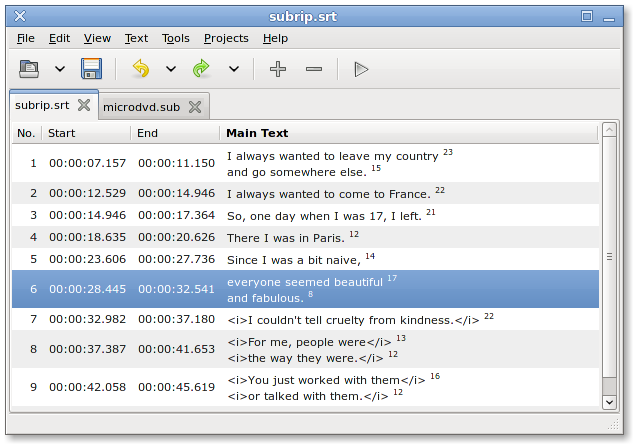
Best Subtitle Editor For Ubuntu

i recommended gaupol


sudo apt-get install gaupol


Linux Show Bandwidth Usage

Nethogs


sudo nethogs [interface]

ex : sudo nethogs eth1


Ubuntu ati command temperature and gpu usage


if u want to check GPU load in the terminal just type 

aticonfig --adapter=0 --od-getclocks

if you want to check gpu temp in the terminal type 

aticonfig --odgt


if you want to add gpu load to conky add this to conky conf.

${font verdana:size=8}${color green}${execi 1 aticonfig --adapter=0 --od-getclocks | grep -i GPU}

ATI Graphic Get GPU Load

aticonfig --adapter=0 --od-getclocks | grep -i GPU

Android Installation error: INSTALL_FAILED_INSUFFICIENT_STORAGE

Error message

Installation error: INSTALL_FAILED_INSUFFICIENT_STORAGE

Fix it by

add this to manifest.xml file

android:installLocation="preferExternal"

just like this


<manifest xmlns:android="http://schemas.android.com/apk/res/android"
    package="com.kittinan.blog"
    android:theme="@android:style/Theme.Black.NoTitleBar.Fullscreen"
    android:versionCode="1"
    android:versionName="1.0"
    android:installLocation="preferExternal" >