วิธีการติดตั้ง Gitlab Ubuntu 14.04

จาก Document (https://about.gitlab.com/downloads/#ubuntu1404) ของ Gitlab นั้นใช้เพียงไม่กี่คำสั่งก็สามารถลงได้แล้วครับ

sudo apt-get install curl openssh-server ca-certificates postfix
curl https://packages.gitlab.com/install/repositories/gitlab/gitlab-ce/script.deb.sh | sudo bash
sudo apt-get install gitlab-ce
หลังจากลง Package  ต่างๆครบแล้ว ก็ทำการ Config ตัว Gitlab

sudo gitlab-ctl reconfigure

 เสร็จแล้วต้องทำการ Config domain ให้ Gitlab

nano /etc/gitlab/gitlab.rb

ใส่ domain ตรงบรรทัด external_url ดังภาพ


แก้ไขเสร็จทำการ restart เจ้า Gitlab

sudo gitlab-ctl restart

เมื่อเข้าไปที่  domain ที่เราเซตไว้ก็จะเจอเจ้าตัว Gitlab แล้วจ้าาา ในที่นี่ก็คือ http://gitlab.kittinan.domain/


สำหรับรหัสผ่าน default ก็คือ

Username: root
Password: 5iveL!fe


REF:
https://about.gitlab.com/
http://doc.gitlab.com/omnibus/gitlab-ci/README.html

วิธีการเซต Timezone Ubuntu

ใช้คำสั่ง
sudo dpkg-reconfigure tzdata


Remove files that are listed in the .gitignore

command

git rm --cached `git ls-files -i --exclude-from=.gitignore`

Ref: http://stackoverflow.com/a/13541721 

How to install Line Messenger on Ubuntu 14.04

1. open terminal to install wine

sudo apt-get install wine winetricks -y

2. open winetricks to install vcrun2008

winetricks

wine will install some library on the firsttime, after finish we will install vcrun2008

- select the default wineprefix


- install a Windows DLL or component


- select vcrun2008 and install


3. Download & Install Line Messenger

cd /tmp
wget http://cdn.line-apps.com/client/win/new/LineInst.exe
wine LineInst.exe

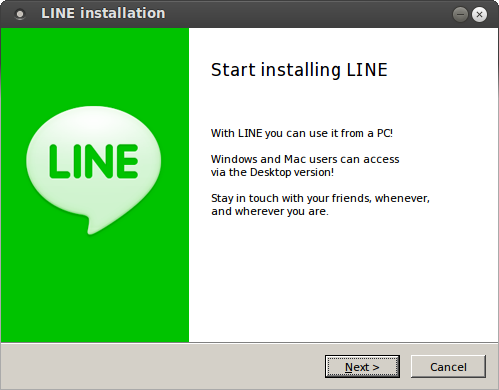
install it


5. Install font for support Thai language

wget "https://docs.google.com/uc?authuser=0&id=0B4BVfmN-CsL5YnV1dXFidEVpNmM&export=download" -O tahoma.zip
unzip tahoma.zip
cp tahoma/* ~/.wine/drive_c/windows/Fonts/

6. Reopen Line Messenger

ทดสอบ PHP 7 Alpha 1

PHP ได้ปล่อย PHP 7 Alpha 1 ออกมา https://github.com/php/php-src/blob/php-7.0.0alpha1/NEWS เลยลองทดสอบดูครับ

โดยผมได้ใช้ script นี้ในการทดสอบ

https://gist.github.com/kittinan/3173c58b32b8e7739b11


ผลการทดสอบดังนี้

PHP 5.5.9


PHP 7 DEV


PHP 7 Alpha 1


จะเห็นได้ว่า PHP 7 Alpha 1 แรงขึ้นกว่า PHP 7 Dev อีก

สุดท้ายก็ขอให้ PHP 7  ตัวจริงที่จะออกปลายปีแรงกว่านี้อีกนะค้าบบบบ

Happy Birthday PHP!!!


Happy Birthday to PHP celebrate for 20 years old


GIT FTP Ubuntu 14.04

Install git-ftp

sudo apt-get install git-ftp

Config FTP

git config git-ftp.user FTP_USER
git config git-ftp.url ftp.example.com/your/folder
git config git-ftp.password YOUR_PASSWORD

Init git-ftp

git ftp init

When Change file data, use this command to update.

git ftp push